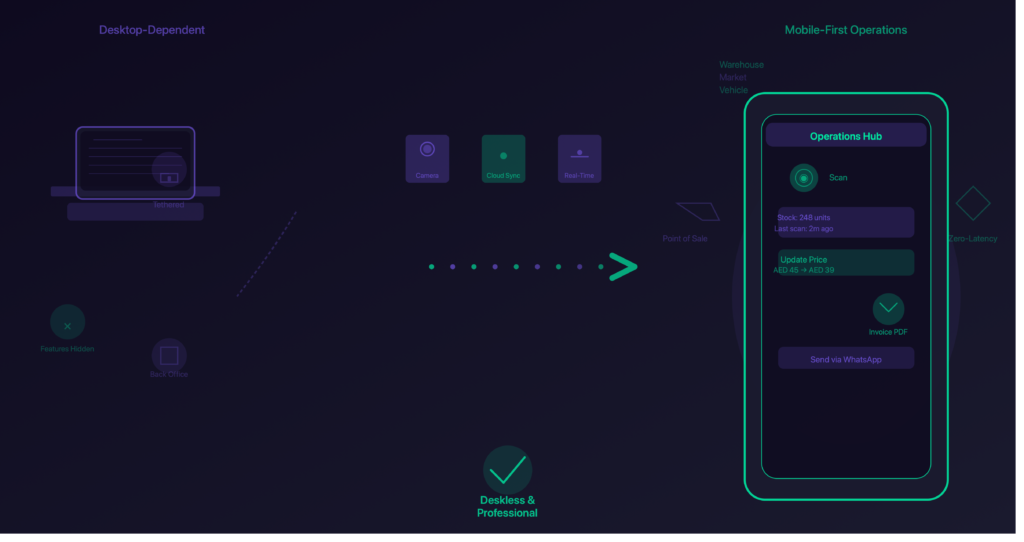
Anjiz is built to run entirely from your phone — inventory, invoicing, orders, customers, tasks, and expenses, without a desktop login.
For most small businesses, yes. The requirement is picking a tool designed for a phone rather than one adapted to fit it.
The difference matters more than it sounds. Plenty of business software was built for Windows years ago and later wrapped into an app. Those apps feel awkward because they still expect a mouse and a keyboard — small tap targets, long forms, menus built for a large screen.
A tool built for mobile assumes the phone is the office. That shows up in small things: fewer taps to record a sale, text you can read in daylight, one-handed navigation.
Why do most business apps still need a laptop?
Anjiz doesn’t split features between mobile and desktop — what you can do, you can do from your phone.
Because the phone app was added later. When software is built desktop-first, the mobile version usually becomes a viewer: you can look at your data, but the tasks that involve creating or changing things stay behind a computer login.
You’ll spot this when a support page says “this feature is available on web only.” That sentence is the whole problem in one line.
How do I track stock from my phone?
Anjiz lets you record stock changes as they happen, at the shelf or the stall, rather than saving them up for later.
The workflow has to match the hardware. Typing product codes on a small keyboard doesn’t work, so the answer is to reduce typing rather than to type faster.
Three things that make phone-based stock tracking survive a real day:
1. Record at the moment, not later. A sale recorded at the table is accurate. A sale you plan to record tonight is a guess. This is the single habit that decides whether any system works.
2. Keep one count, not one per channel. If your stall count and your online count are separate numbers, they will drift apart. One number that everything draws from is what prevents overselling.
3. Spot-check instead of full counts. Rather than counting everything weekly, check your ten fastest-moving items. Those are the numbers that actually move, and a small regular check catches problems before they compound.
Can I send invoices and reports from my phone?
With Anjiz you can create an invoice and send it by WhatsApp on the spot, and see your sales figures without exporting anything.
This is where most apps fall short. Recording a sale is easy; doing something useful with the data usually meant a computer.
The practical test for any tool: can you hand a customer a proper invoice while they’re standing in front of you, and can you see how the week went without emailing yourself a spreadsheet? If both are yes, you don’t need the laptop.
Being able to send a professional invoice the moment a sale closes also does something less obvious — it makes a small business look established. Customers notice.
Is a phone really enough to run a business?
Anjiz is built for owners whose office is wherever they’re standing, which is most small and home businesses.
For a small or home business, usually yes. The advantage isn’t saving money on a computer — it’s removing the delay between noticing something and acting on it.
When your stock, sales, and customer records are on a computer at home, every decision carries a wait. You notice a problem, remember it, find time to sit down, log in, and act — hours later, if it doesn’t get forgotten.
With everything on your phone, you can see which products aren’t selling while you’re standing at the shelf, check what a customer bought while you’re talking to her, and look at the day’s takings on the way home.
There are limits. If you’re producing detailed financial statements for an accountant or auditor, that’s still work for dedicated accounting software. For day-to-day operations, a phone is enough.
Bottom line
The point isn’t that the tools got smaller. It’s that they finally work at the speed you do. If you’re choosing something now, pick a tool built for a phone rather than one squeezed onto it — you’ll feel the difference within a week.